
As many of my readers already know, I recently shifted gears from a being a consultant focused on voice to a being network engineer focused on…well, everything. One of the first items on my list to tackle, however, put my years of voice training to good use.
A common issue voice engineers are faced with is one way or no way audio. As a voice consultant, those types of issues almost always ended with my saying the line “that’s a network issue, you’ll need to follow up with *those* guys” because almost always one way or no way audio is a routing issue of some sort. Of course, now that I am again one of *those* guys that gets to fix the routing issue too, that line is not quite as charming.
Many people who do not do voice everyday are not aware of the fact that the actual audio payload of a phone call is RTP traffic sent directly between the two endpoints. This is starkly different from the call signalling, which is typically between the endpoint and the Unified Communications Manager. Given that signalling and RTP can take differing paths, you can end up with phone calls that seem like they should work but don’t, and for better or worse, the other end cannot hear you screaming in frustration.
My most recent run in with this issue involved a new VPN connection setup and users unable to hear voicemail prompts when checking messages. Complicating the issue was the fact that “normal” phone calls – phone calls between the remote and main site, were working just fine. A closer look, however, easily explained why one was working and not the other.
A good place to start on a no audio issue like this is to make use of the Question Mark button located on most Cisco phones. In this case I was dealing with a 7960 (don’t judge me) and just clicking the Question Mark button twice pulled up stats for the conversation. Most notably, I could see that the transmit packets were incrementing, but the receive packets were not*. Newer phone models like the 69/8900 series hide this information in some other menu which isn’t entirely obvious, but just check the documentation to see how to pull up phone call stats. You can see in the photo below the type of useful information you can get – note the Question Mark key is in the bottom right of the picture.
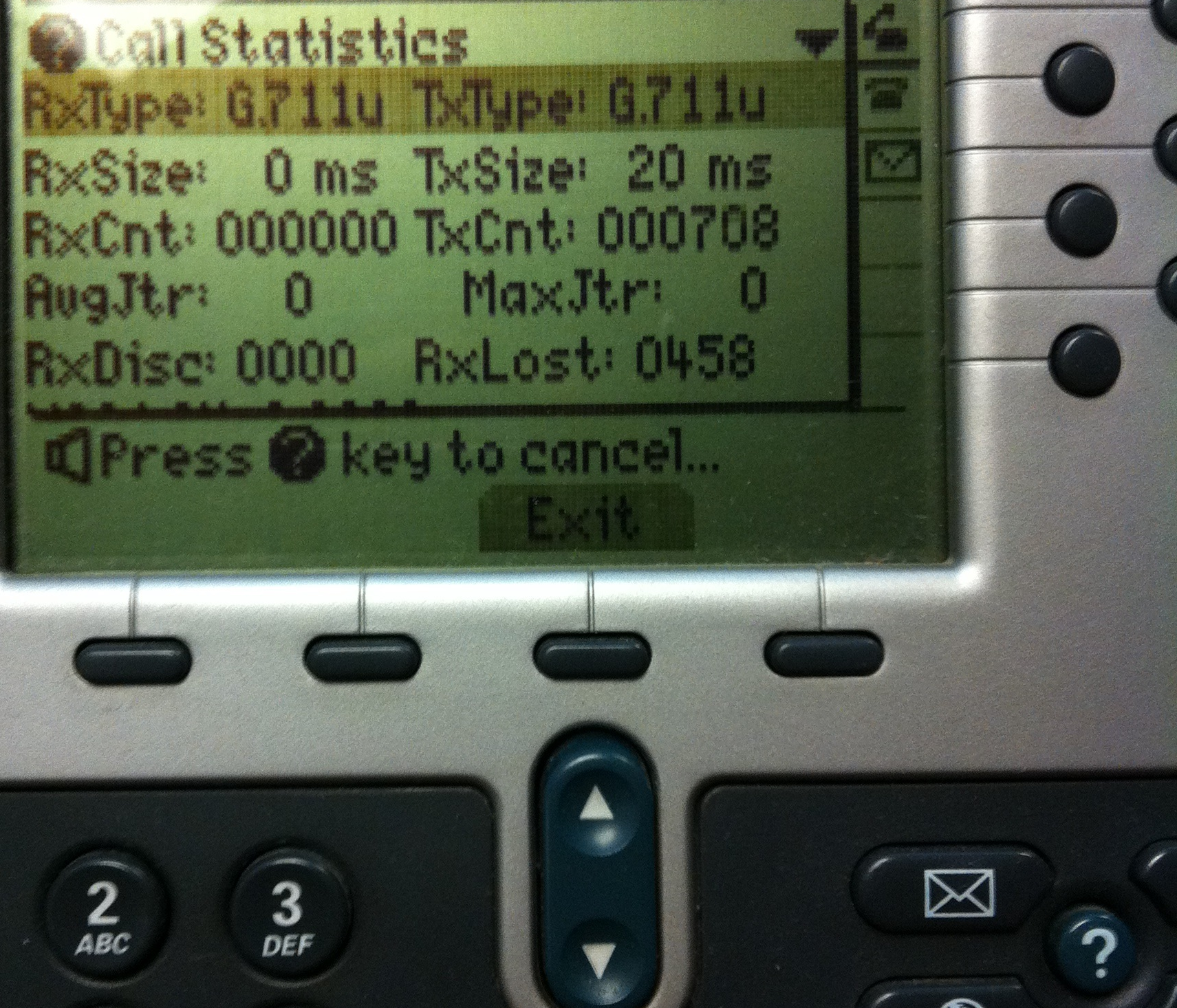
Having confirmed that the phone thought it was sending RTP packets, but clearly not receiving them, I decided it was a good time for a packet capture**. One of the things I love about Wireshark is how easy tracking down RTP conversations is in a .pcap file. To take the capture, simply plug into data port on the phone, launch Wireshark, start the capture, and make your test call. Then stop the capture, click on Telephony -> RTP -> Display All Streams. You will see the RTP conversations in the capture, choose the one you want, and then click Prepare a Filter to view just the RTP packets you are looking for. Be sure to wave your hand and mumble “these are the RTP packets you are looking for” while you do.
Once I had my filter applied I could see the two IP addresses that the RTP was attempting to flow between, one being the phone ip address and the other being the ip address of a secondary voicemail server, not located at the main site that the remote phones were typically calling. I then tried to telnet to that voicemail server on port 5000 to monitor the voicemail port traffic but my connection was unsuccessful, reiterating that I had a routing issue somewhere.***

Now the conclusion to this episode is not nearly as exciting as the troubleshooting process, adding a route to the VPN configuration to the correct subnet was all that was required, but it serves as a great example of when a voice issue isn’t actually a voice issue, no matter how much it looks like one.
Published 5/25/2013
*Another item to rule out on these types of remote site setups is the possibility of a codec mismatch. The default between sites is typically g729 and not all voicemail servers can tolerate that. Using the Question Mark key can show you the codec that is being used and then you can investigate whether or not the proper transcoder resources are in place.
**Pretty much anytime is a good time for a packet capture.
***I did a write up on how you can monitor voice ports with Unity Connection 8.6 using telnet here
 Amy Engineer