
While it is perfectly acceptable to have a shared line that is assigned to both a voip phone and an analog device, there is no guarantee things won’t get wonky.* Let me demonstrate with a recent example I came across.
Users were reporting that occasionally when calling an extension they would get fast busy. A quick look up in CUCM showed that the directory number was assigned to several phones and two ATAs. Cue huge sigh. For those not familiar, ATAs all provide the excruciating pains of troubleshooting analog, in a tiny, fits-in-a-bread-box, device.
Immediately suspecting one of the ATAs, each connected to a classic 5.8 GHz cordless analog phone, I did a quick check to be sure the tiny boxes of evil darkness (TBEDs?) were registered. After confirming ports on both ATA devices were up basic settings in check, I decided my time would be best served with some log file collection.
For those who find themselves needing to examine CUCM trace files, I highly recommend Translator X. It’s free, easy to use, and super helpful. After looking through the Call Manager trace file results in Translator X, I could see clearly that each time the busy occurred, the call had been sent to one specific ATA, and logs showed a corresponding Disconnect Cause of “(47) Resource unavailable, unspecified.”
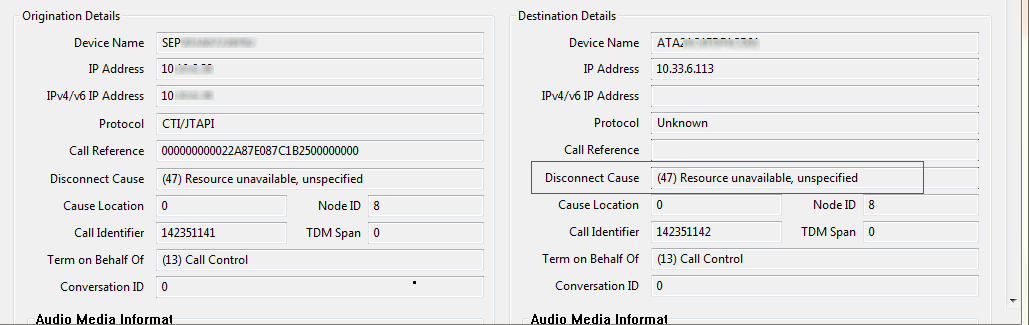
“Unspecified.” Yep, vague error messages are my favorite. Not able to find anything tangible in the CUCM configuration, I opted for an onsite visit.
My complicated troubleshooting plan was to just unplug the troublesome ATA and let the good times ring in. After locating and confirming the MAC address of the ATA, I pulled the plug. Like any good network/voice engineer, I started to make a test call to confirm whether I had indeed fixed the situation without breaking anything else – an art form we constantly strive to perfect. Fully expecting that all would be well, I was quite disappointed when greeted once again by a fast busy.
Time to pull out Tippy.
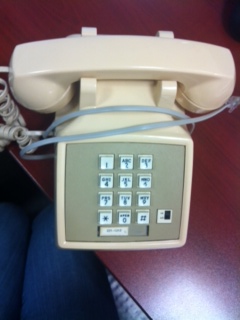
Tippy, (yes, a reference to tip and ring, I am still that much a voice geek), happens to be my reliable test analog phone and every one should have a Tippy. Reliable test equipment will save yourself time and sanity, and you should always be weary of results from equipment you haven’t base-lined.
Since Tippy and I go way back, I knew after making a successful test call with Tippy plugged into the ATA, that something was wrong with the cordless analog phone itself, or possibly in its wiring back to the closet.
I then found that plugging Tippy into the wall jack of the problem phone resulted in a successful call as well, so my conclusion was that the cordless phone at hand had shuffled off its mortal coil. I opted for moving the other cordless phone to replace the bad one, the models being identical and the other one being in a location that wasn’t being utilized.
Swap complete, time to test again, and still getting a fast busy. A girl cannot catch a break.
On a hunch, I decide to press the handset locator button on the cordless phone base station. Oddly, the handset on the charger station in front of me was not the handset that was beeping.
Then it hit me, the users had mixed up the handsets.
The base station didn’t have a working handset, but was still alive and would take the call the ATA presented it, but the handset couldn’t communicate because it was around the corner, down the hall, and IN THE OTHER ROOM!
Like I said, wonky.
*Yes, that is in fact a technical term, just ask any voice (or former voice) engineer.
Bonus material:
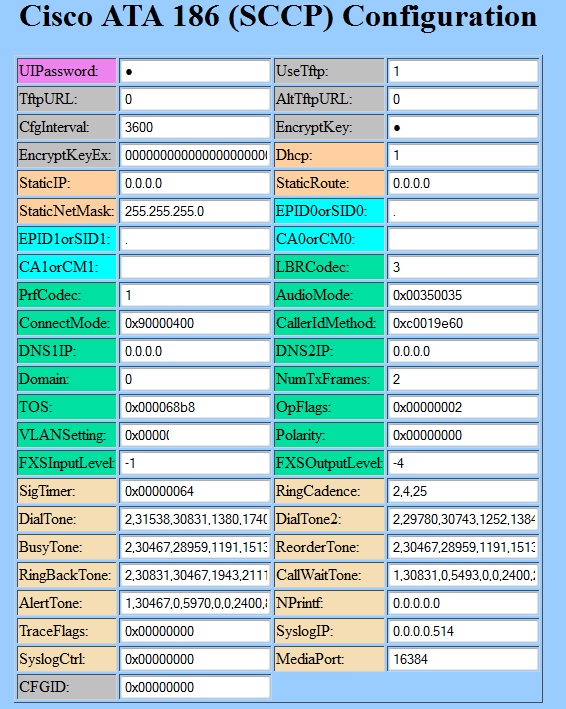
If you have never had to manage an ATA, (lucky you), you might not know that typically you can reach the ATA device via a web page by entering ://[the ip address]/dev. You will see a web gui that I am certain was coded by a developer with absolutely no sense of web design. Seriously, not even a bit.
Published 6/19/2013
 Amy Engineer